
Textarea Fieldtype
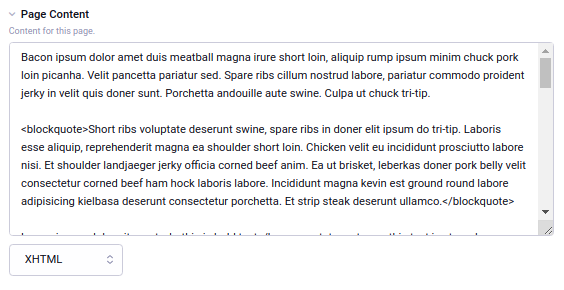
The Textarea is a simple free-form writing space where you can enter text or HTML.
Field Settings
Textarea Row Height
Height of the editor in rows of text.
Text Formatting
Specifies how the entered text will be formatted when rendered on the front-end. Choices include:
- None - content will be output exactly as entered
- Auto line break - simply replaces each linebreak with a
<br>tag - Markdown - processes content as Markdown and outputs HTML
- XML Encode - content is formatted and escaped for safe use in an XML document like an RSS feed
- XHTML - Encloses paragraphs with
<p>tags, adds curly quotes, and does other more advanced processing to make plain text into proper HTML while leaving any HTML intact.
XHTML is an original EE formatting option and it is a good default for plain text that needs to be output as nice HTML, especially for text that contains some HTML as well. Additional plugins may be installed to provide more text formatting options.
Note: To see the Markdown or XML Encode options, those add-ons on must be installed.
Allow Override?
When set to yes, authors can override the default text formatting for this field from the publish form to set it to a format other than what was selected as the default above.
Text Direction
Either left-to-right, or right-to-left.
Field Tools
Show formatting buttons to make writing markup easier, show a smiley chooser, or show a file chooser button to easily insert images or links to files.
{file:XX:url} Tag / Inserting a File
In a textarea field, when you add a file using the field tools, EE will insert code like this:
Images
<img src="{file:XX:url}" alt="" height="200" width="200">
Other Files
<a href="{file:xx:url}">other-file.pdf</a>
When the field is output, EE will replace {file:XX:url} with the file’s URL.
With that tag in the content of the field, EE will also track the file as being used in this entry. This information is updated whenever an entry is saved with a field containing {file:XX:url}. If you reference an uploaded file directly by URL, EE will not track that the file is in use in that entry. This tracking is true for other field types as well, but those other field types often do not display the tag directly as {file:XX:url}.
If your site is set to Compatibility Mode for backwards compatibility with older add-ons, file references will instead look like {filedir_X}filename.ext and usage will not be tracked.
Parsing File Tags
The Textarea fieldtype supports the use of file tags in the format {file:XX:field} where XX is the file ID and field is any field associated with that file, such as url, filename, title, etc.
When the content of a Textarea field is parsed for display, these tags will be replaced with the corresponding values from the file model.
For example, if you have a file with ID 5, and you want to insert its URL into the Textarea content, you would use the tag {file:5:url}. When the content is rendered, this tag will be replaced with the actual URL of the file.
The supported fields for file tags include:
url: The absolute URL to the file.file_name: The name of the file.title: The title of the file.description: The description of the file.file_size: The size of the file in bytes.width: The width of the file in pixels.height: The height of the file in pixels.mime_type: The MIME type of the file.location: Where the photo was takencredits: Photo credits