
Command Line Interface (CLI)
The Command Line Interface (CLI) allows a user to run system and user-generated commands in the terminal. The CLI has access to all of the ExpressionEngine resources, and can be used to update the system, clear caches, and much more.
By default the CLI is located system/ee/eecli.php .
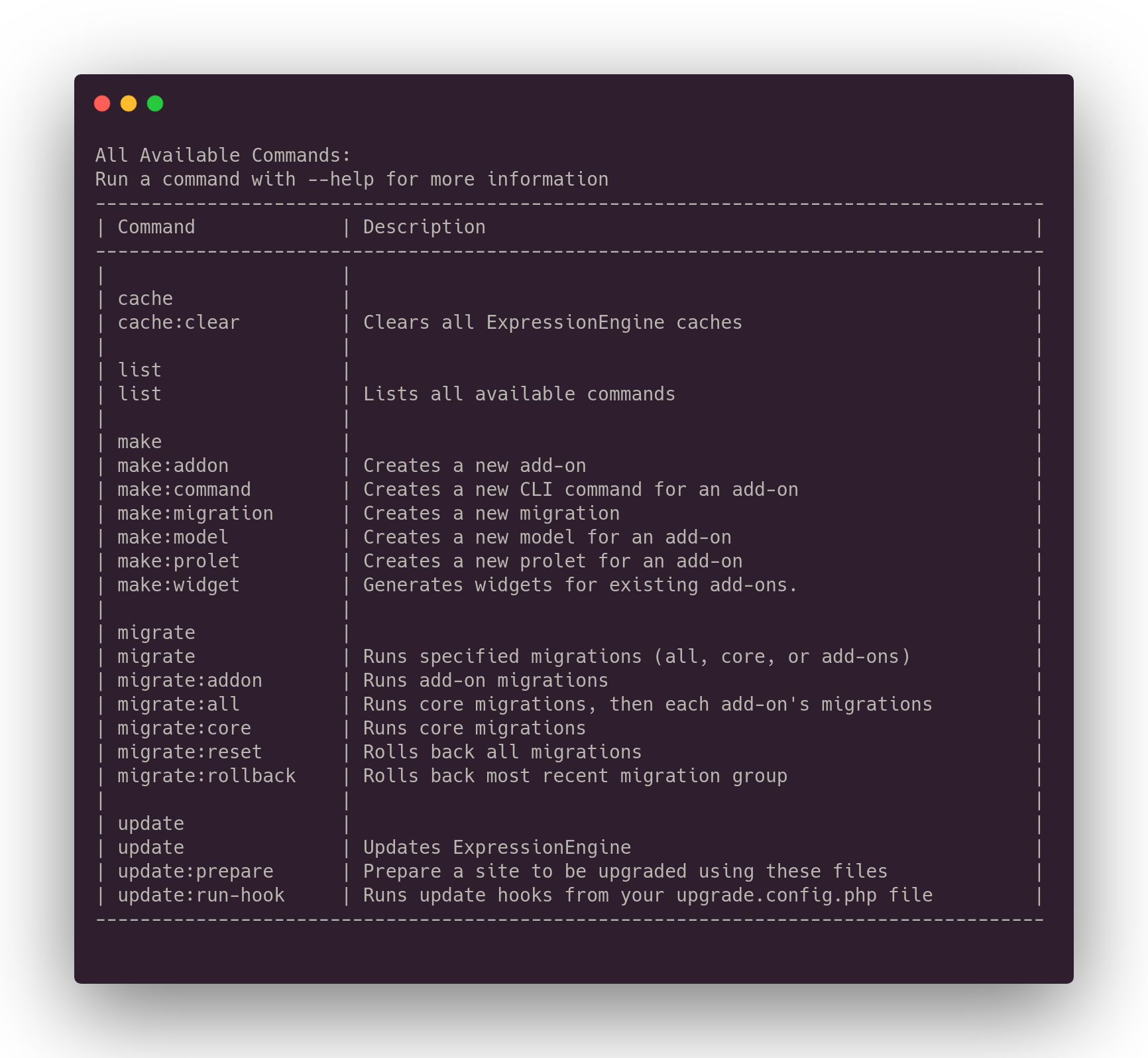
- Basic Usage
- Built In Commands
- Add-ons
- addons:list - List Add-ons
- addons:install - Install Add-on
- addons:update - Update Add-on
- addons:uninstall - Uninstall Add-on
- backup:database - Backup Database
- cache:clear - Clear Cache
- channels:list - List Channels
- Config
- config:config - Update Config Values
- config:env - Update Env Values
- fields:list - List Fields
- fieldtypes:list - List Fieldtypes
- Generate
- generate:templates - Generate Templates
- list - List Commands
- Make
- make:action - Create Action
- make:addon - Create Add-on
- make:command - Create CLI Command
- make:cp-route - Create Control Panel Route
- make:extension-hook - Create Extension Hook
- make:fieldtype - Create Fieldtype
- make:jump - Create Jump Menu File
- make:migration - Create Migration
- make:model - Create Model
- make:prolet - Create Prolet
- make:service - Create Service
- make:sidebar - Create Sidebar
- make:template-tag - Create Template Tag
- make:widget - Create Widget
- Migrate
- migrate - Run Migrations
- migrate:addon - Run Add-on Migrations
- migrate:all - Run All Migrations
- migrate:core - Run Core Migrations
- migrate:reset - Reset Migrations
- migrate:rollback - Rollback Migration Group
- Sync
- sync:conditional-fields - Sync Conditional Fields
- sync:file-usage - Sync File Usage
- sync:reindex - Sync Search Index Content
- sync:upload-directory - Sync Upload Directory
- Update
- update - Update ExpressionEngine
- update:prepare - Prepare Update
- update:run-hook - Run Update Hook
- version - Show Version Details
- Add-ons
- Creating a Command
- Defining Input
- Displaying Output