
Text Input Fieldtype
Text Input is a single-lined free-form writing space where you can enter text or HTML.
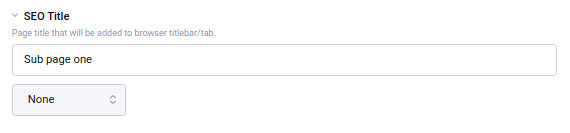
Field Settings
Maximum Characters
The maximum number of characters this field should allow. This will not affect existing entries, but the limit will be in effect when you try to edit them.
Text Formatting
Specifies how the entered text will be formatted when rendered on the front-end. Choices include:
- None - content will be output exactly as entered
- Auto line break - simply replaces each linebreak with a
<br>tag - Markdown - processes content as Markdown and outputs HTML
- XML Encode - content is formatted and escaped for safe use in an XML document like an RSS feed
- XHTML - Encloses paragraphs with
<p>tags, adds curly quotes, and does other more advanced processing to make plain text into proper HTML while leaving any HTML intact.
For a text input field, the output may not seem to vary too much. Additional plugins may be installed to provide more text formatting options.
Note: To see the Markdown or XML Encode options, those add-ons on must be installed.
Allow Override?
When set to yes, authors can override the default text formatting for this field from the publish form to set it to a format other than what was selected as the default above.
Text Direction
Either left-to-right, or right-to-left.
Allowed Content
Restricts the text field to certain data types, while also informing how the data should be sorted on the front-end (numbers represented as text will sort differently than regular numbers).
Field Tools
Show a smiley chooser, or show a file chooser button to easily insert images or links to files.